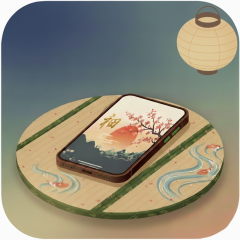
"Remote Music Controller" is an app that allows you to remotely control songs from your Music and iCloud library over the internet.

~ Features ~
- Device Interconnectivity Beyond Bluetooth Limits
No tedious pairing required. Connections that are impossible with standard Bluetooth—such as controlling an iPad from your Apple Watch—are easily achieved via the internet.

- Control Anyone’s Device, Regardless of Apple ID
There is no need for iCloud syncing or using the same Apple ID. You can even control a friend’s device with a different Apple ID simply by sharing a keyword.

- Turn Any Device into Your Player!
By installing the free receiver app ("Remote Music Player"), you can remotely control not only iPads and iPhones but also PCs (Apple Silicon Macs) and any environment capable of running iOS apps.

~ Setup Guide (Connecting the Two Apps) ~
1. "Remote Music Controller" will automatically generate a 6-digit keyword upon startup.
2. Enter that 6-digit keyword into "Remote Music Player".
3. Import songs from Music or iCloud using the button at the top.
4. Confirm that the song list is displayed.
5. Ensure you are connected to the internet, then tap the antenna button in the top right.
6. Return to "Remote Music Controller" and confirm that you can play songs remotely.
7. Once finished, tap the antenna button again to end the remote session.

*Steps 2-5 and 7 are performed within the separate app, "Remote Music Player".
■ Key Features
Remote Control via the Internet By utilizing an internet connection instead of Bluetooth, the app allows for seamless music control even from separate rooms or long distances where Bluetooth signals typically fail.
Unique Device Pairing (e.g., Apple Watch to iPad) The app enables remote interaction between devices that usually cannot be paired directly, such as using an Apple Watch to control an iPad. Coordination is kept secure and simple through unique keyword generation and a toggleable “Antenna” mode.
■ Practical Use Cases
Dance or Band Practice in Studios While the playback device (iPad, etc.) is physically connected to wired studio speakers, a user can stay in position and use their Apple Watch or iPhone to play, pause, or skip tracks. This eliminates the need to walk back and forth to the audio equipment.
Remote Event Management and Direction Place the playback device (Player) at an audio booth or backstage, while a staff member with the controller device manages the BGM or sound effects from anywhere in the venue, ensuring perfect timing for cues.